
You need to be signed in to change your password. If you can’t sing in, use a password reset form: Reset a password.
To change your password:
-
Open the Client Control Panel (https://in.noventiq.market/client) and go through the authorization process.
-
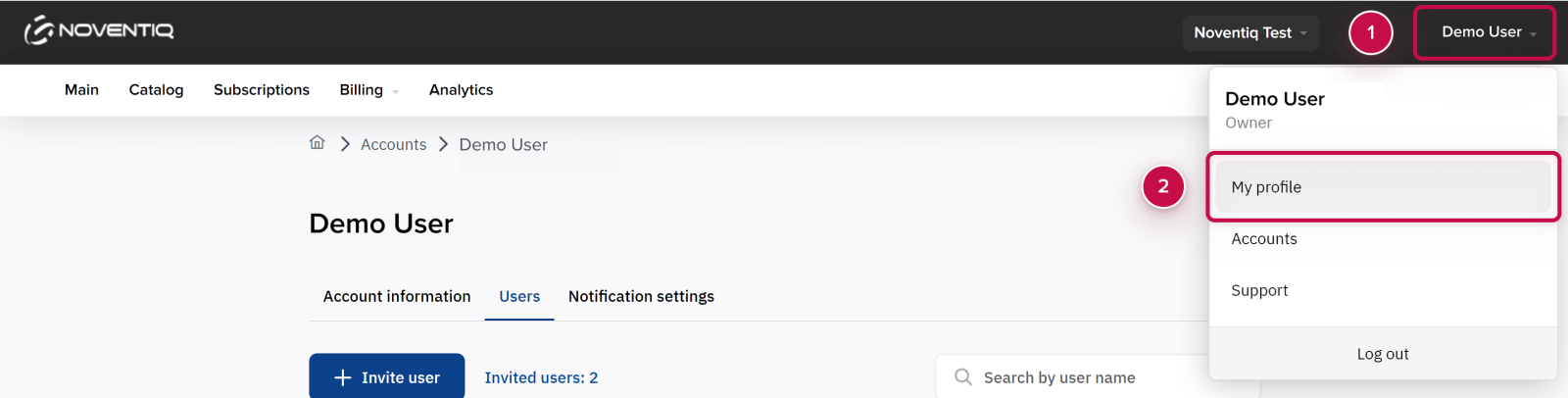
Click the user name at the header ➀.
-
Select My profile ➁.
-
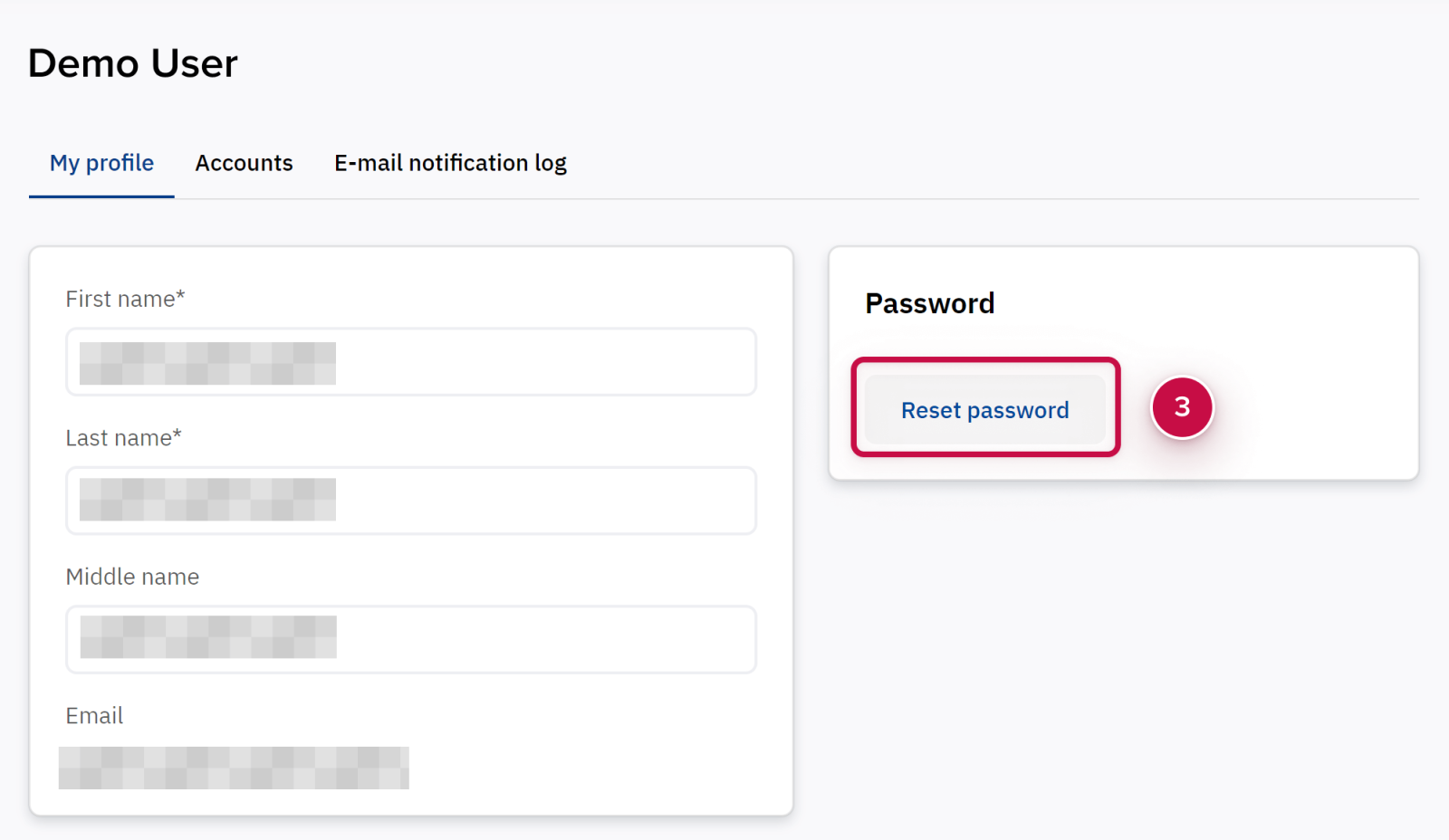
Click the Reset password button ➂.
-
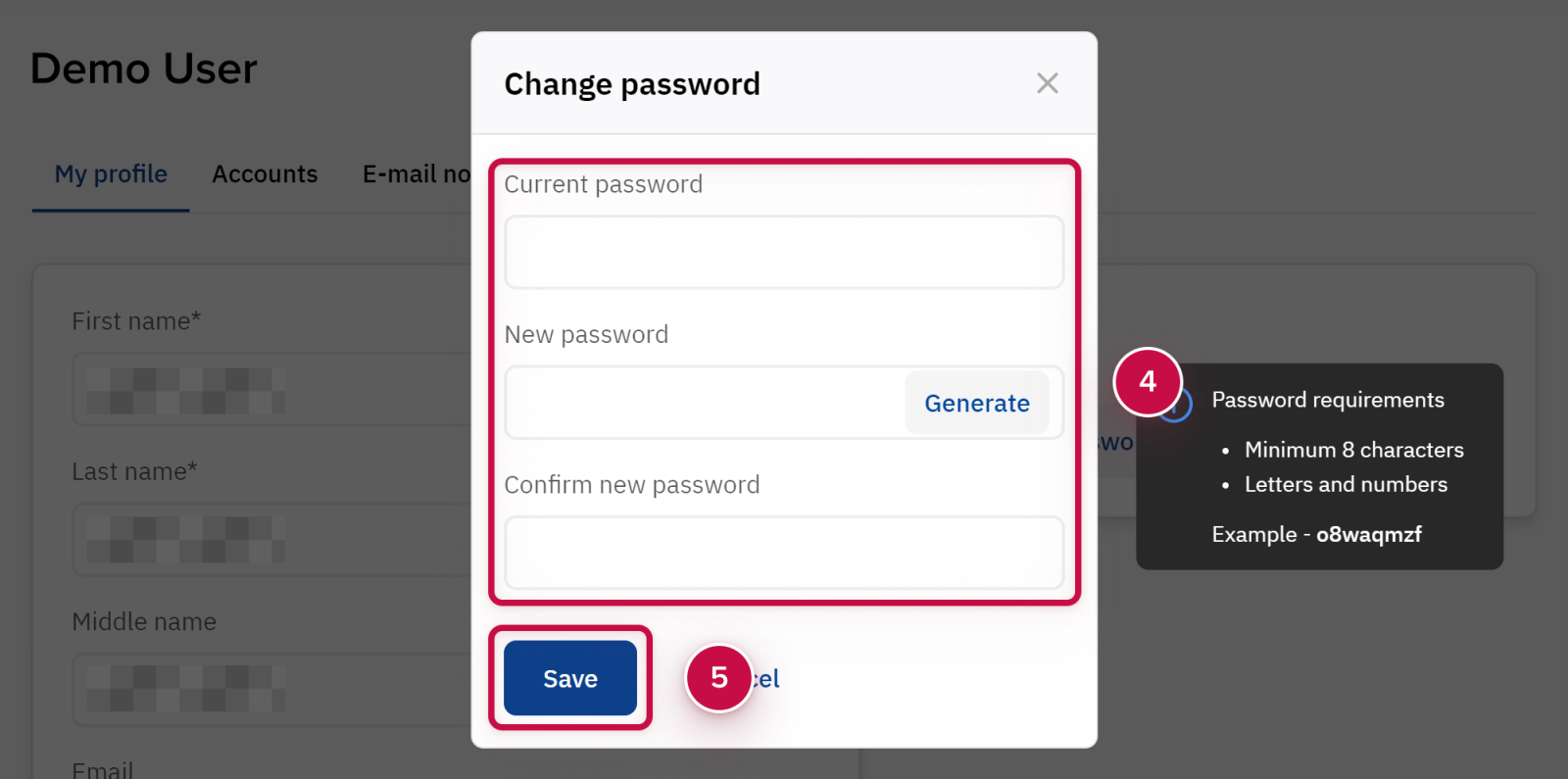
Fill in the change password form and click Save ➄.
Noventiq Market India
|
Customer Support |
|
|
Microsoft Technical Support |
|
|
Client Control Panel |
|
|
Catalog |