
Getting started
After signing in to the Client Control Panel (https://in.noventiq.market/client), you get access to subscription management.
To sign in:
-
Click

-
If you are not signed in, an authorization form page will be displayed.
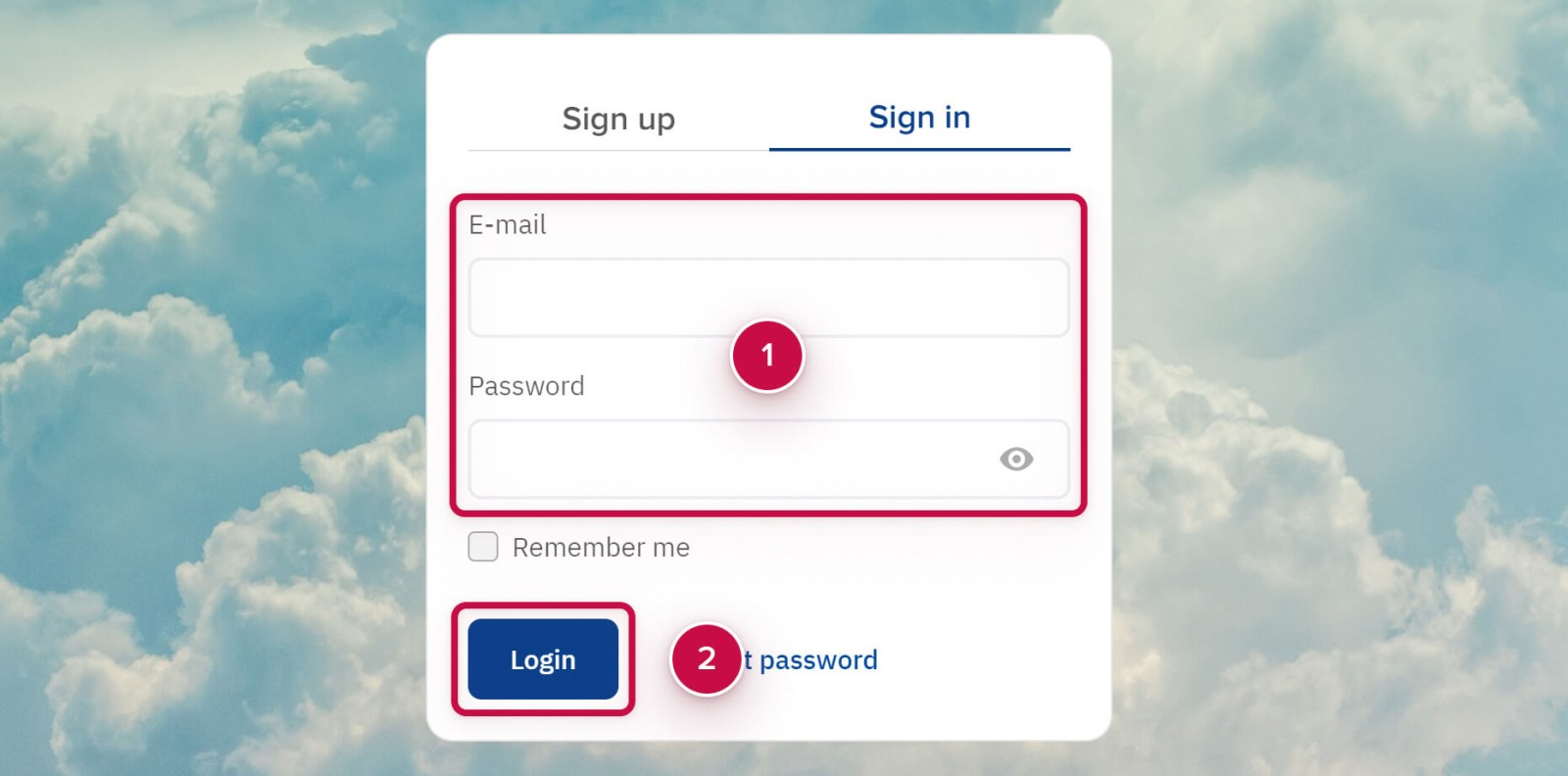
Filling in the authorization form
To fill in the authorization from:
-
Enter your email and password ➀ specified during the registration.
-
If you're on a public or shared computer, it is recommended to clear the Remember me.
-
Click Login ➁.
Acceptance of the Terms of Use
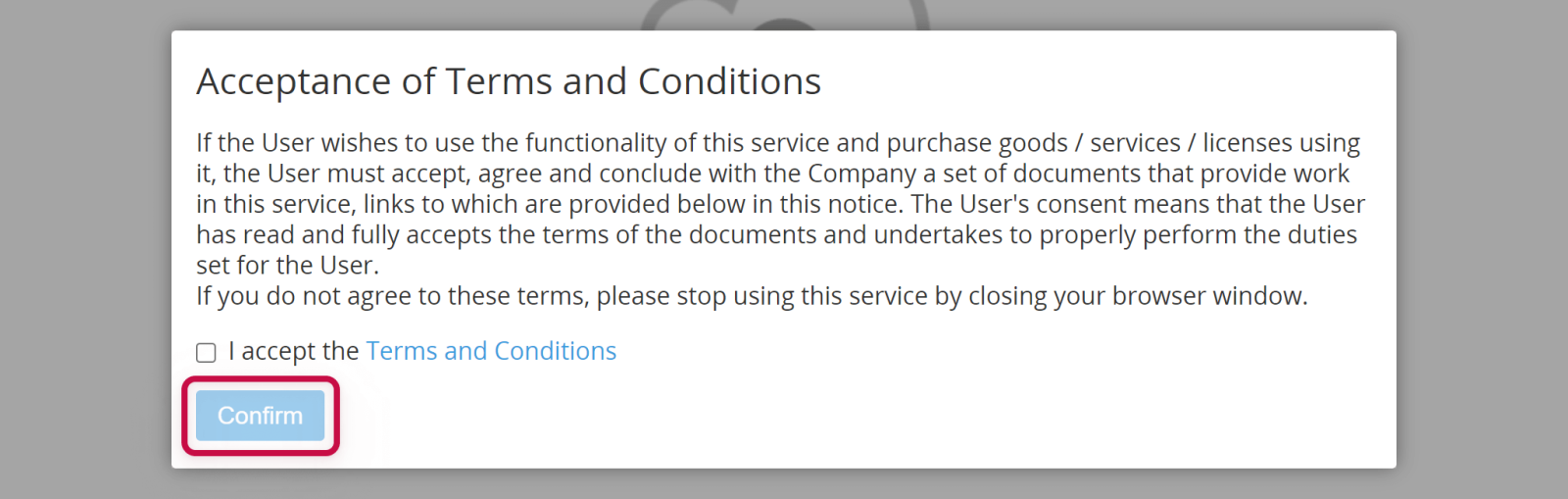
If you did not accept the Terms of Use, the window for acceptance is displayed after signing in:
-
Read the Terms of Use.
-
Click on the checkbox I accept the Terms of Use.
-
Click Confirm.
Sign in issues
Incorrect e-mail or password
This issue appears if you enter incorrect e-mail or password in the authorization form.
To fix this issue:
-
Try to fill in the authorization form fields again. Please note that passwords are case sensitive. Make sure that Caps Lock is not enabled when entering your password.
-
Use password reset form if you forgot your password: Reset a password.
Only registered users can sign in to the platform. Learn more: Registration.
Noventiq Market India
|
Customer Support |
|
|
Microsoft Technical Support |
|
|
Client Control Panel |
|
|
Catalog |