
We recommend renewing your subscription at least 1 day before the expiration date.
To continue using the same plan and number of licenses in the next subscription period, you can either use auto-renewal or create a manual renewal order.
Some subscriptions don’t have the option for auto-renewal.
To enable auto-renewal for the same number of licenses:
-
In the Subscriptions section, find the subscription you need.
-
Enable Auto-renewal for the subscription.
-
Click Confirm.
The platform will create a renewal order on the last day of the subscription period, allowing you to manage the subscription manually until the end of the term.
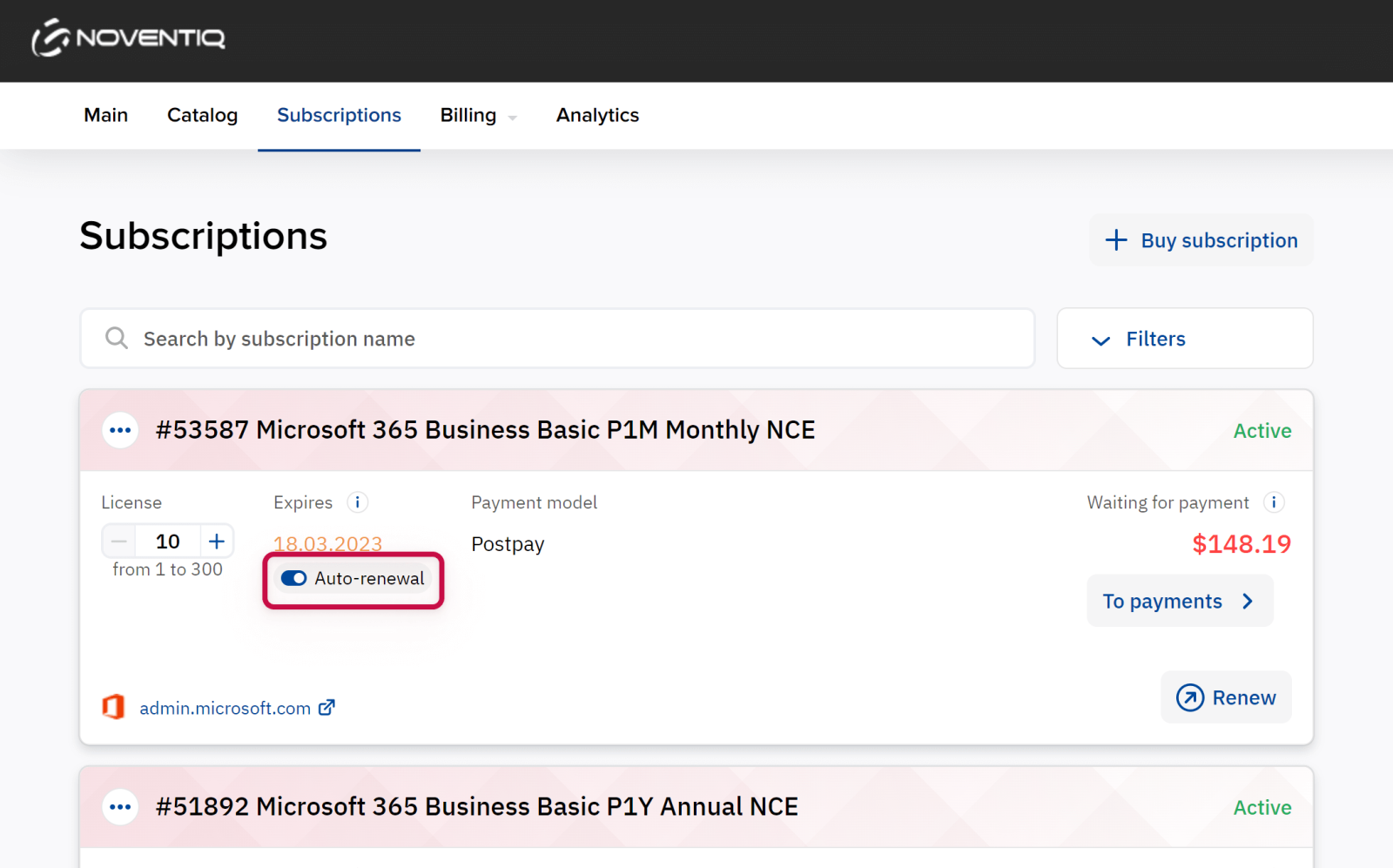
Alternatively, you can manually create a renewal order by clicking Renew. The process is similar to renewing with a new number of licenses:
Noventiq Market Indonesia
|
Customer Support |
|
|
Microsoft Technical Support |
|
|
Client Control Panel |
|
|
Catalog |