
Getting started
Once you register, you can purchase and manage subscriptions.
How to register:
-
Open the Client Control Panel (https://id.noventiq.market/client).
-
During the ordering of a subscription.
After you start ordering a product in Noventiq Market catalog (https://id.noventiq.market/store), a registration form will open.
See more: -
Accept an invitation from the account Owner or Administrator: Add a user.
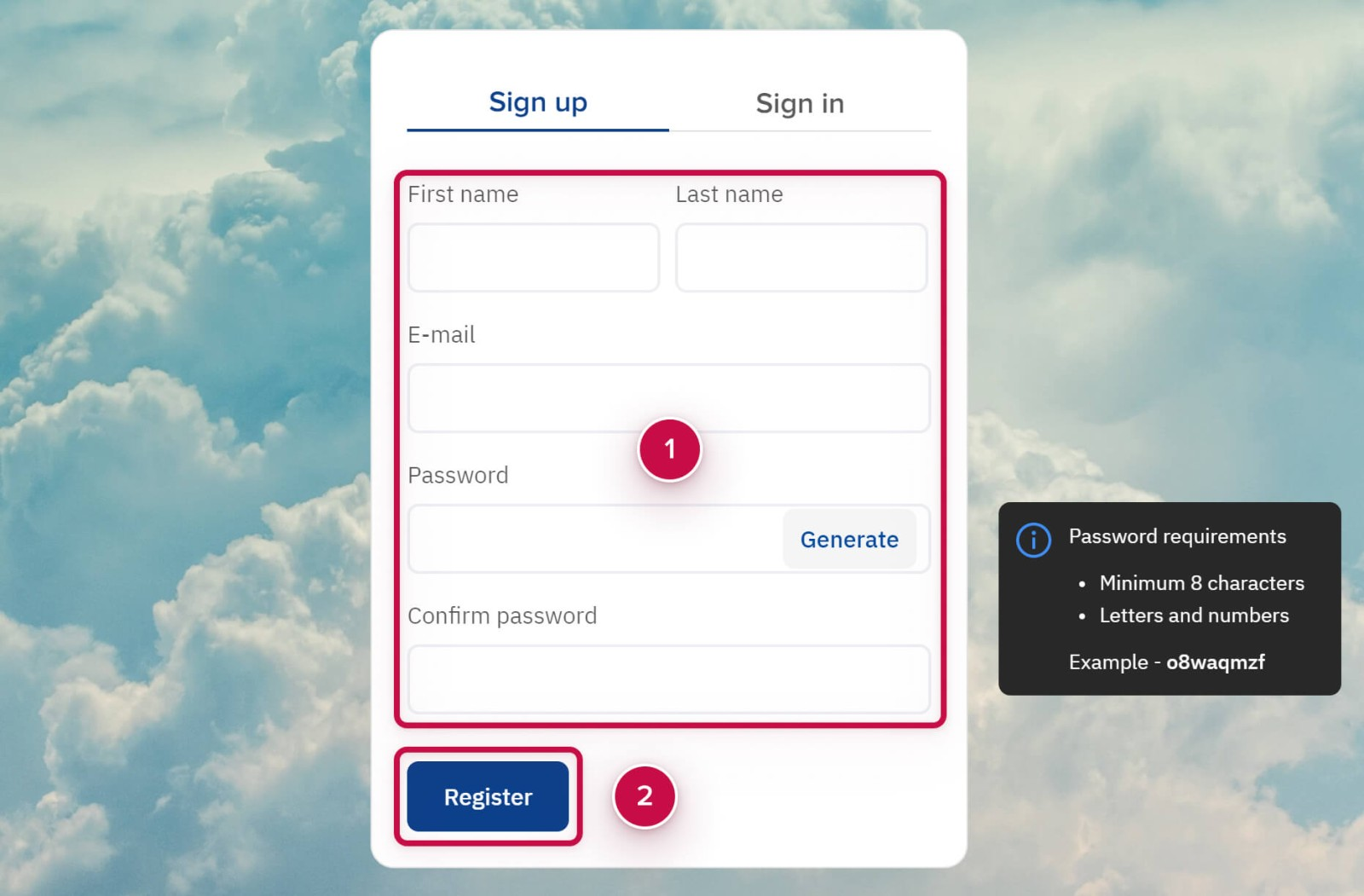
Filling in a registration form
How to fill in a registration form:
-
Fill in all the fields ➀.
Ways to create a password:-
Create your own password. The password requirements are displayed in the Password requirements When a requirement is satisfied, the password is highlighted.
-
Generate a password. Click Generate to create the password automatically.
-
-
Click Register ➁.
Confirming your email
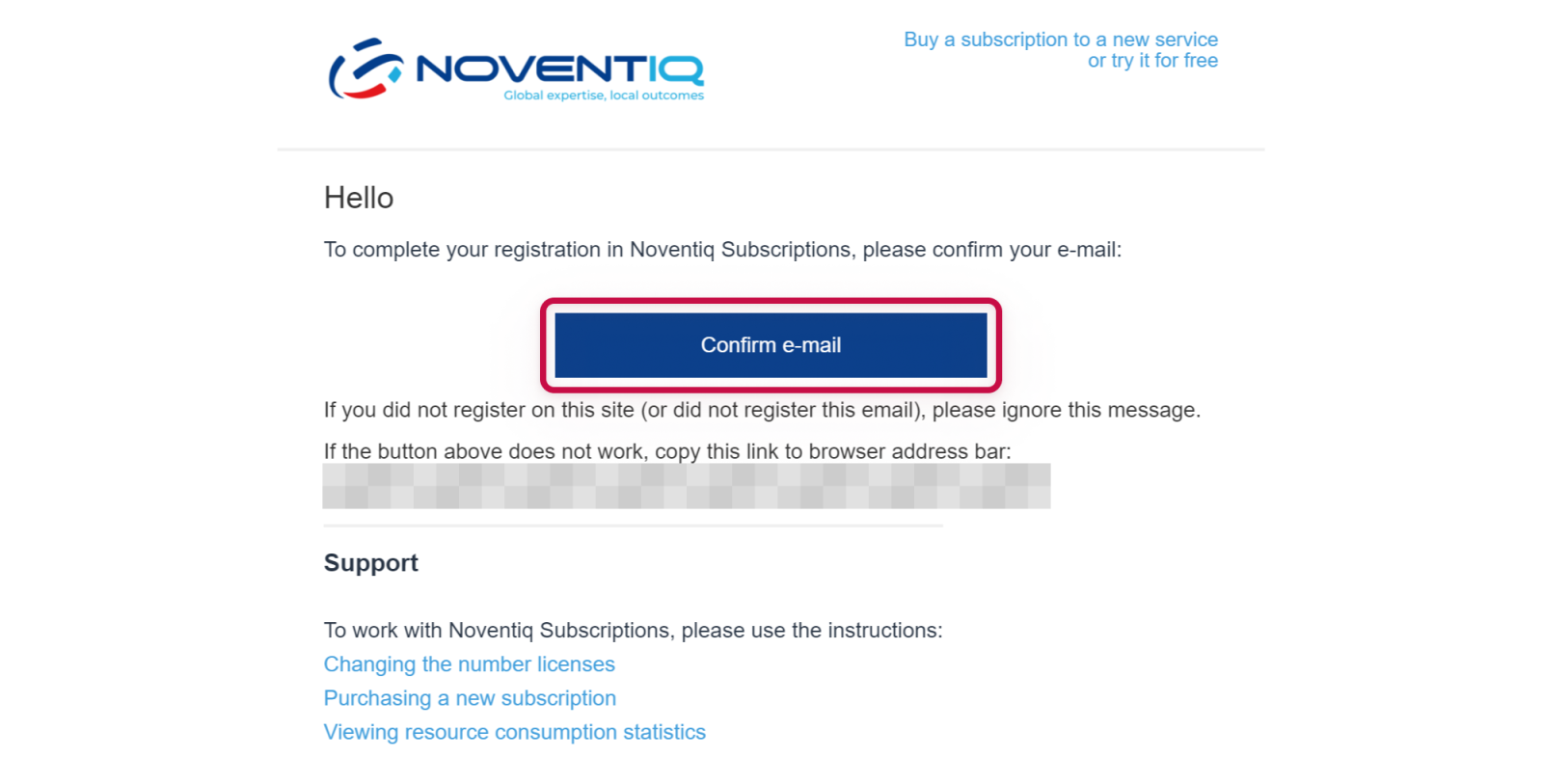
To successfully complete the registration, confirm your e-mail.
-
Check the inbox of the specified email and find the message.
-
Click Confirm e-mail in the confirmation e-mail.
Further actions
After confirming your e-mail, the access to the Client Control Panel will be granted.
If you registered during the purchase of the product, you will automatically return to the ordering process.
Noventiq Market Indonesia
|
Customer Support |
|
|
Microsoft Technical Support |
|
|
Client Control Panel |
|
|
Catalog |