
Selecting a product
-
Open Noventiq Market catalog by following the link https://my.noventiq.market/store.
If you have access to the Client Control Panel (https://my.noventiq.market/client), you can go to the catalog from the menu or by clicking Buy subscription in the Subscriptions section or on the main page in the Client Control Panel.
-
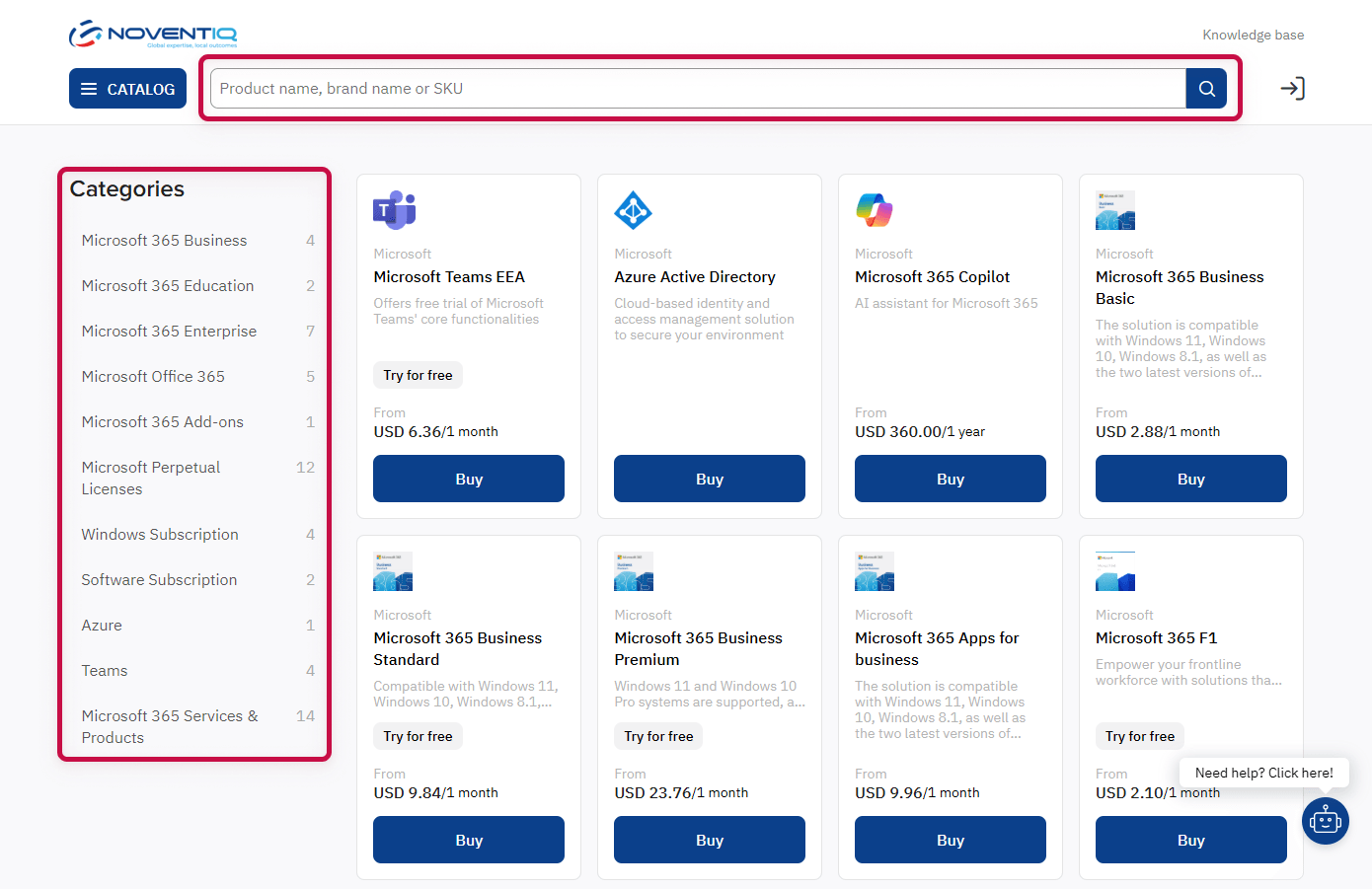
Choose the product you're interested in. You can use the Categories menu on the left or the search option on the top of the page.
-
Click the product card to go to its page.
Selecting a plan
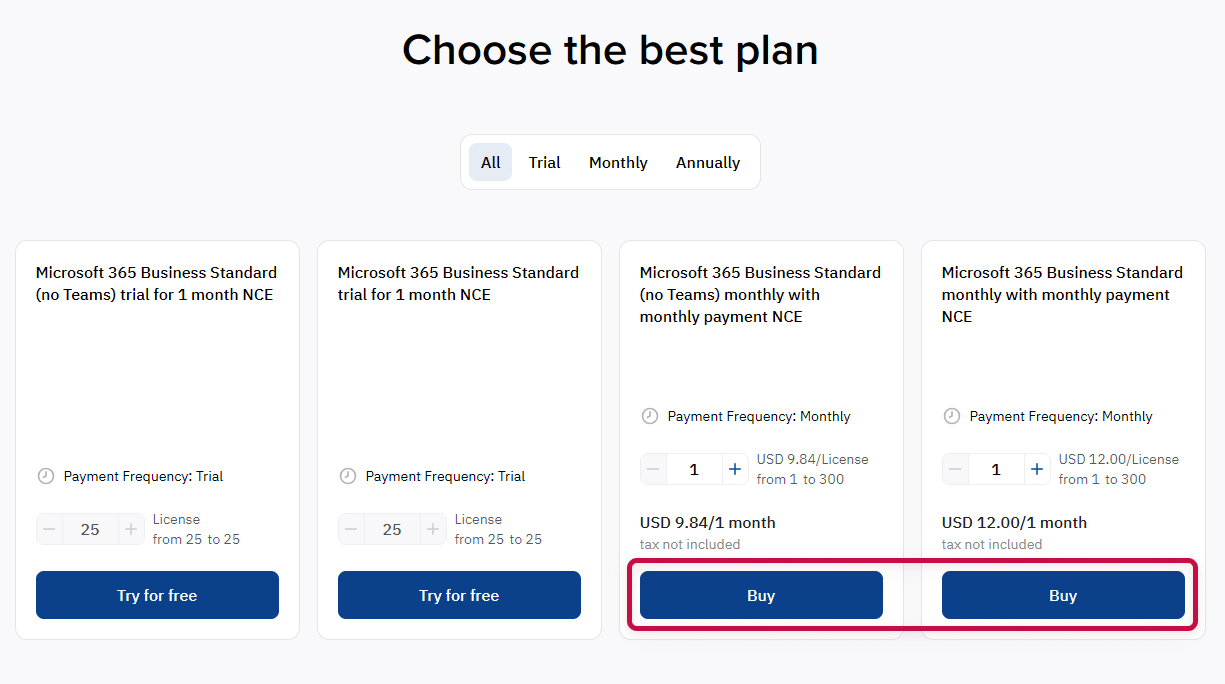
On the product page, choose a commercial plan and click Buy to start placing an order.
Registration and authorization
To proceed with your order, you need to log in to the platform. If you are not logged in yet, a registration and authorization form will be opened:
-
If you already have an account, click Sign in and authorize.
-
Otherwise, you need to register. Once registration is complete, you will automatically return to the ordering process.
For more information, see the corresponding articles:
Subscription configuration
After authorization, the platform will offer you to configure the subscription:
-
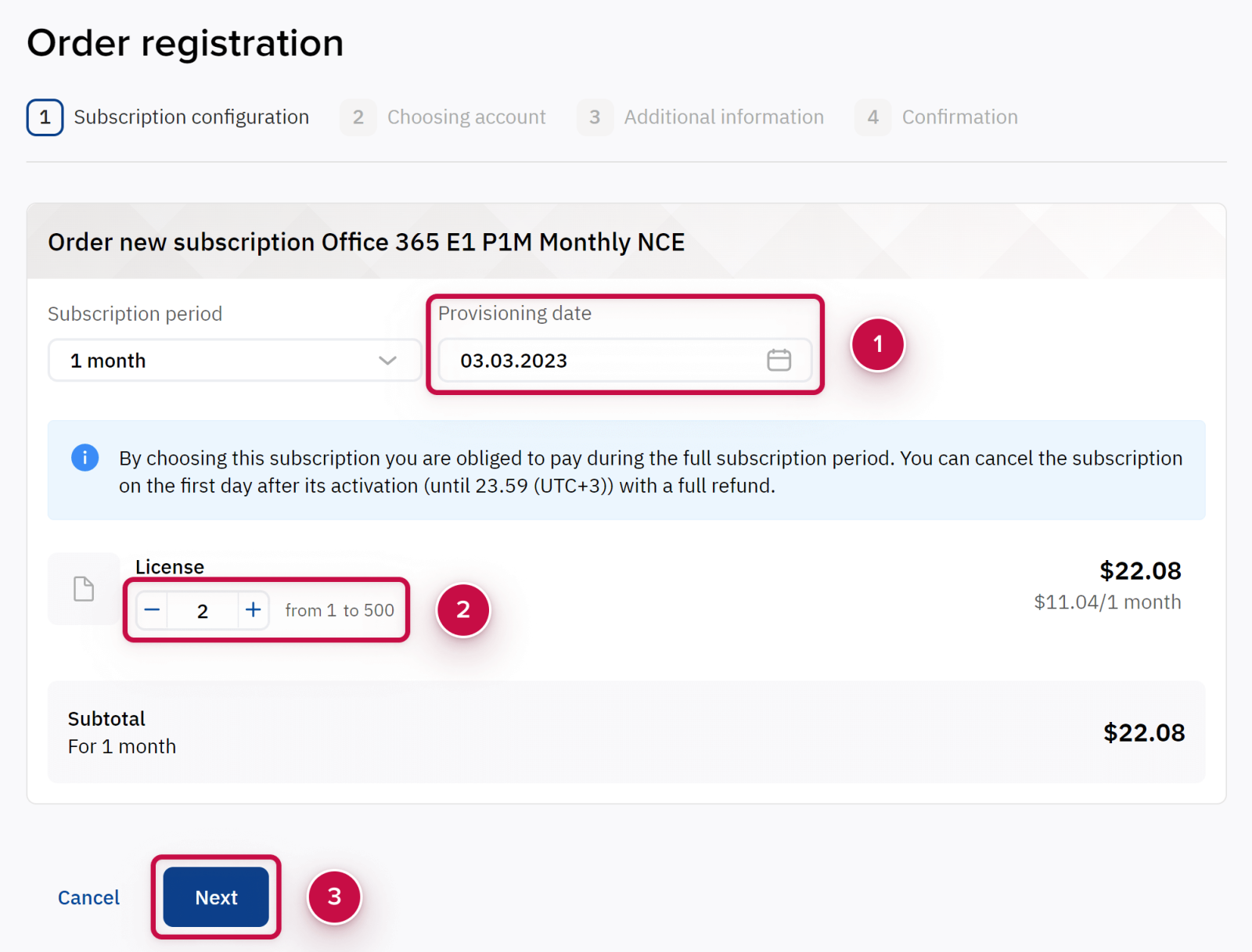
Set a date ➀ when the subscription must be activated.
-
Choose resources ➁ that should be included in the subscription and set their number. The availability of resource settings depends on the product. It can be, for example, the number of licenses, devices, users, additional components. When you change quantity of a resource, the subscription cost may also change.
-
After completing the configuration, click the button Next ➂.
Checking the order and entering company details
After checking the configuration, the platform will offer you to check the order, confirm agreement with the terms and conditions, choose or fill in the details of the organization.
Selecting an account
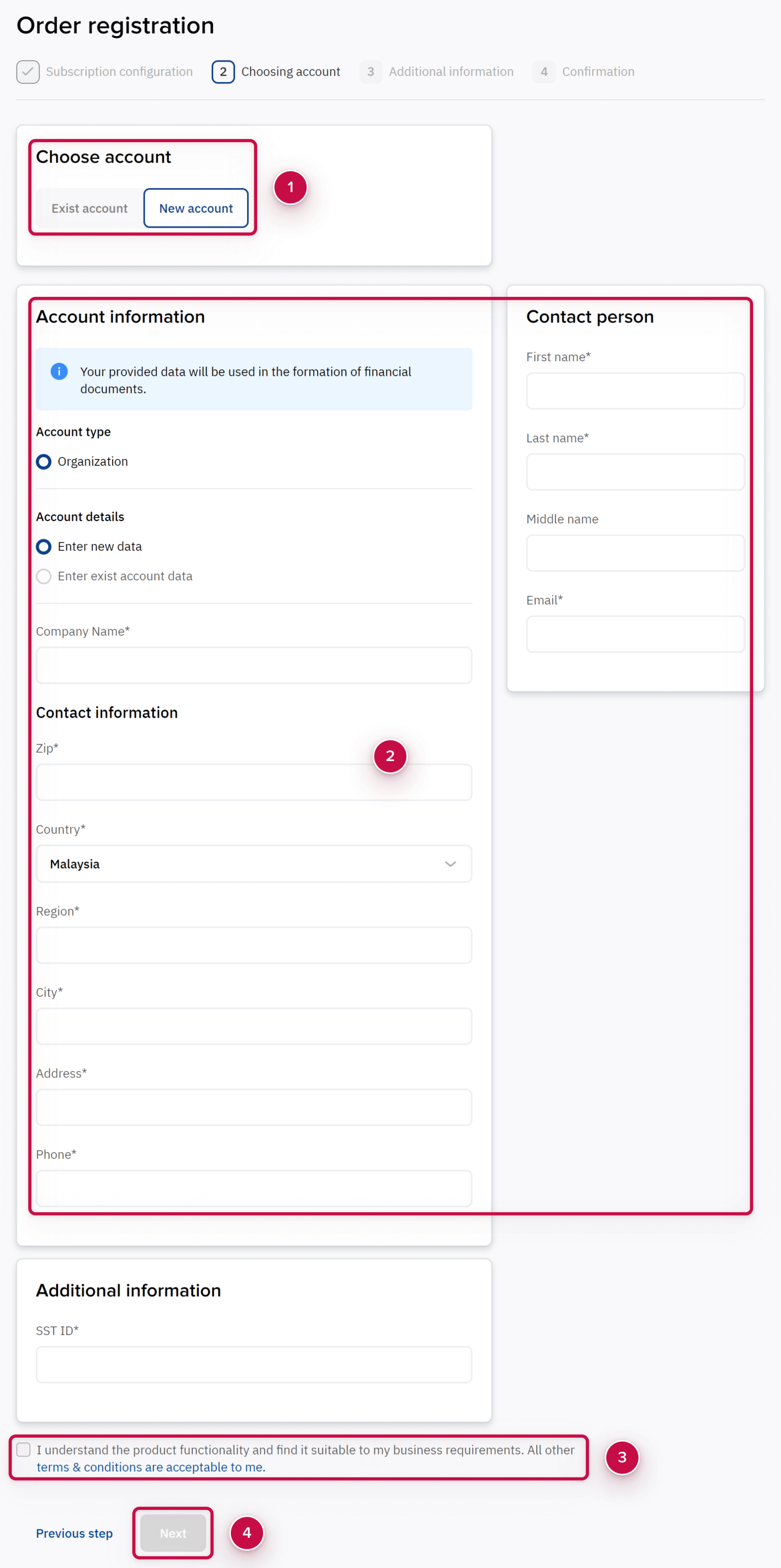
The account determines which organization the created order will be linked to.
You have two options ➀:
-
Create a new account.
-
Select a previously created account (if it exists).
When creating a new account, fill in the details of the organization ➁.
You can manually fill in all the fields of the form or copy the data in advance from the organization account available to you to a new one. If copying is available, you will see the link "Use data ..." next to the heading "Organization data". After clicking on the link, the organization's data will be copied to a new account, and you can edit it.
Providing consent
Learn more about the general working conditions and the rules of use of the ordered services.
Enable the checkbox ➂ to confirm that you accept the information and to continue the ordering process.
After completing forms on the page, click the button Next ➃.
Additional actions
Perform additional actions that may be required depending on the product vendor.
For example, to order Microsoft services you need:
Financial verification
If you order the first commercial subscription in a new account, your account have to pass financial verification by Noventiq employees. It may take some time.
Subscription activation
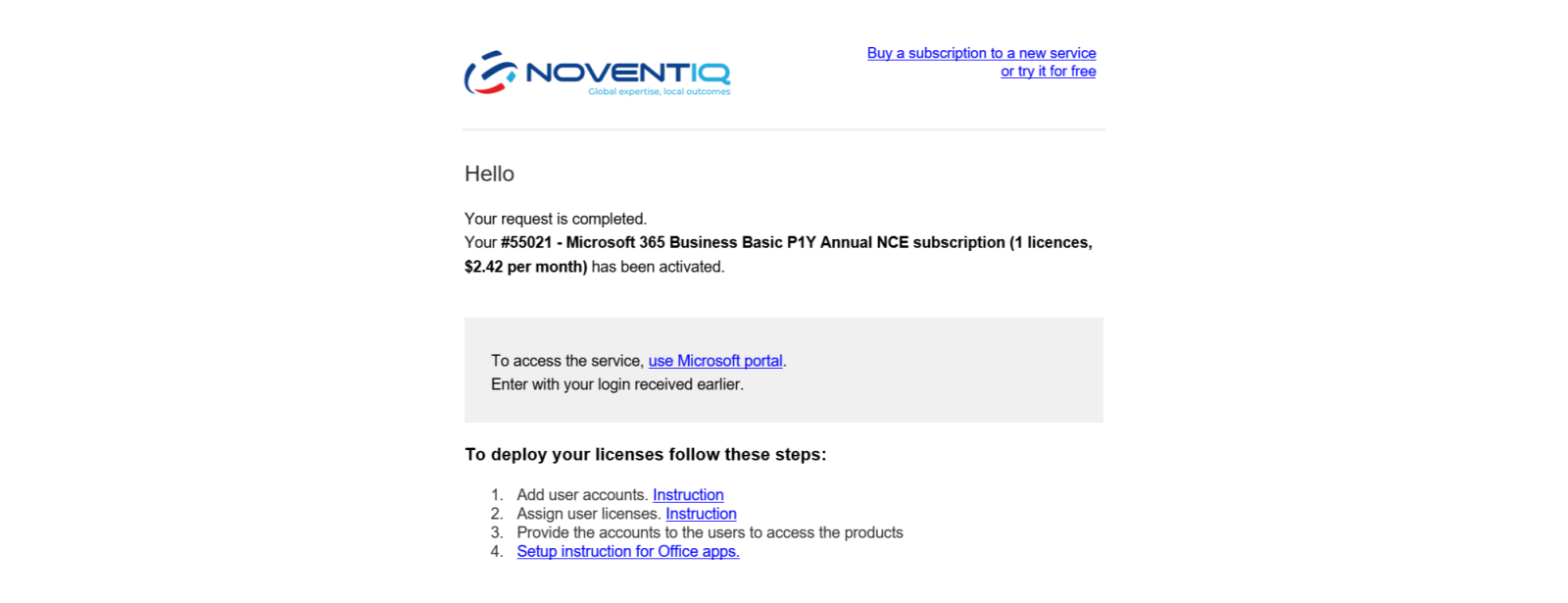
Subscription activation occurs automatically for some time after placing an order.
All information that is needed to access to the purchased product will be sent by the information letter to your mail.
Depending on the vendor, you can be provided with a login and password to the vendor portal or activation keys as well as instructions.
Noventiq Market Malaysia
|
Customer Support |
|
|
Microsoft Technical Support |
|
|
Finance Support |
|
|
Client Control Panel |
|
|
Catalog |