
Microsoft Customer Agreement (MCA) is concluded between Customer and Microsoft and consists of these General Terms, the applicable Use Rights and Service Level Agreements (SLAs), as well as any additional terms presented by Microsoft when an order is placed.
The Agreement may be accepted multiple times. Resellers and vendors may require the Agreement to be re‑accepted at any time. The current Agreement remains in effect until a new one is accepted; however, if all required agreements are not accepted, the placement of Microsoft orders may be restricted.
Initial acceptance of the Microsoft Customer Agreement
When ordering a Microsoft subscription for a new or existing domain name in a new platform account, you must review the terms of the Agreement and confirm your acceptance.
The confirmation form is available at the step of adding a new or existing Microsoft tenant, in the Additional settings (Step 3) section.
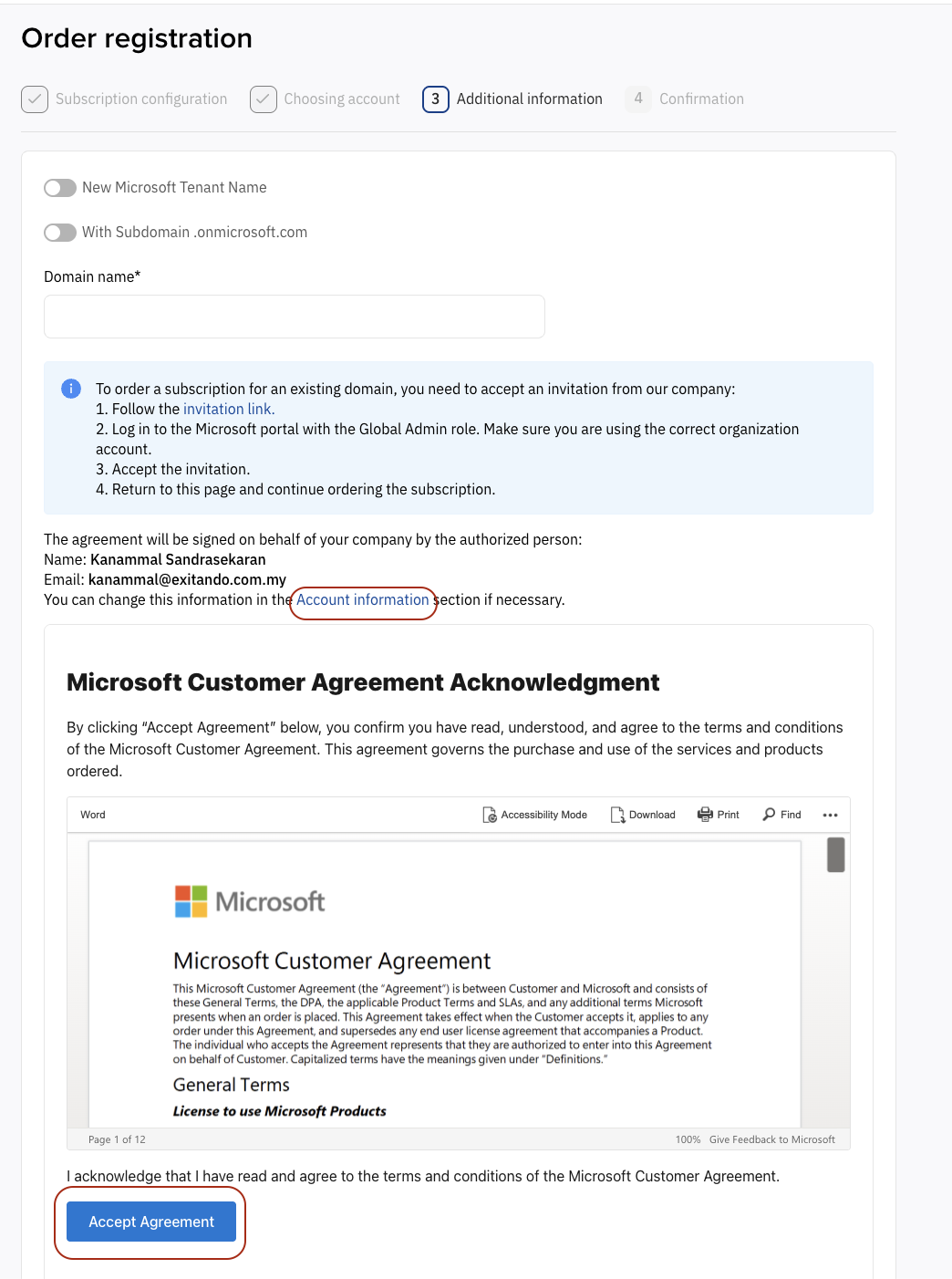
Add the domain name according to the Instructions.
The authorized representative’s contact details (with signing authority) are available in the corresponding section. To edit these details, go to Account information.
The embedded form contains the text of Microsoft Customer Agreement.
After successfully creating/adding a Microsoft tenant and accepting the MCA, the system proceeds to the final stage of order placement.
If information about the customer’s prior MCA acceptance is already available in the platform, the acceptance step will be skipped.
Re‑acceptance of Microsoft Customer Agreement
According to Microsoft requirements effective from 7 October 2025, customers who accepted the MCA before 1 April 2023 may encounter restrictions when managing their Microsoft subscriptions. To restore full access to these operations, it is necessary to re‑confirm acceptance of the MCA terms.
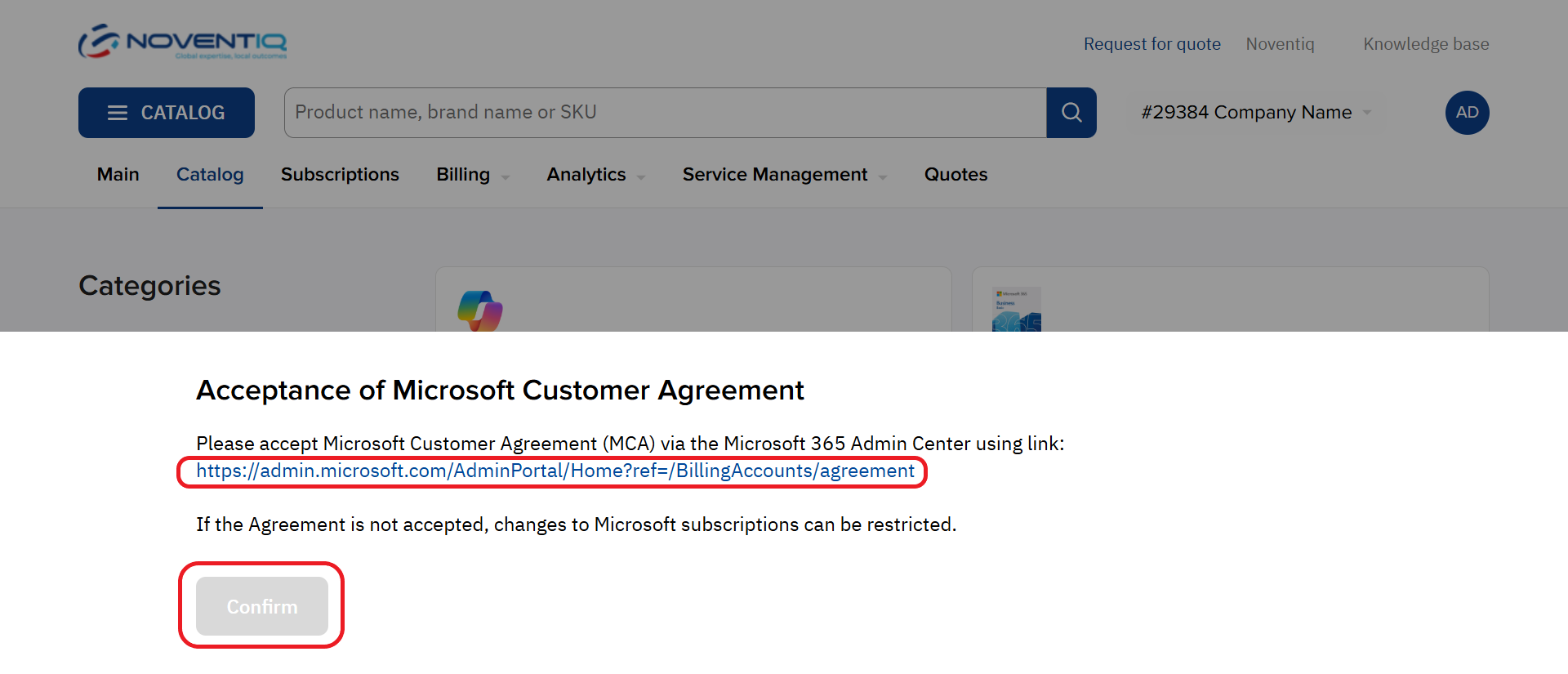
When users whose accounts are connected to Microsoft services sign in to the Customer Control Panel for the first time, they must review and accept the Microsoft Customer Agreement (MCA) by completing the following steps:
-
Follow the link in the banner that appears. Important! When following this link, make sure you're signed in to the correct tenant in the Microsoft 365 admin center with a role higher than Reader.
-
Accept the agreement in the Microsoft 365 admin center and return to the platform.
-
After confirming, the Confirm button will become available. Clicking it will allow you to proceed with using the client dashboard.
Viewing the MCA acceptance status in the customer account
To view the MCA acceptance status, follow these steps:
-
Open the tab to the left of the user profile.
-
Go to the Agreements section.
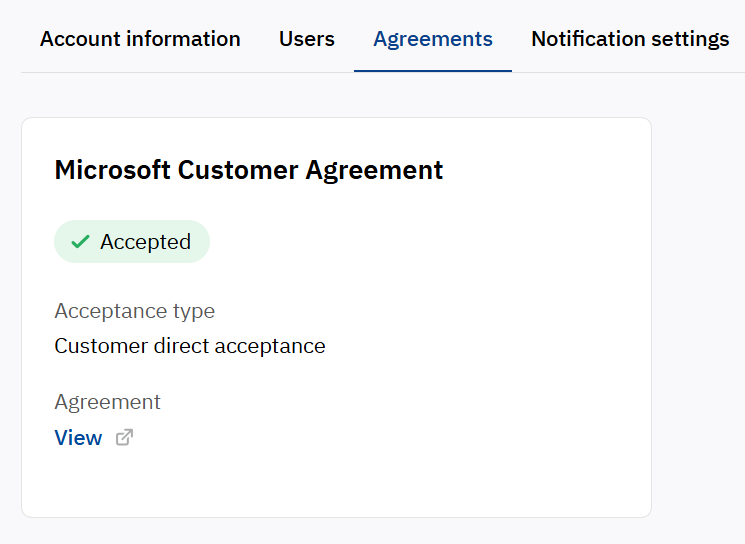
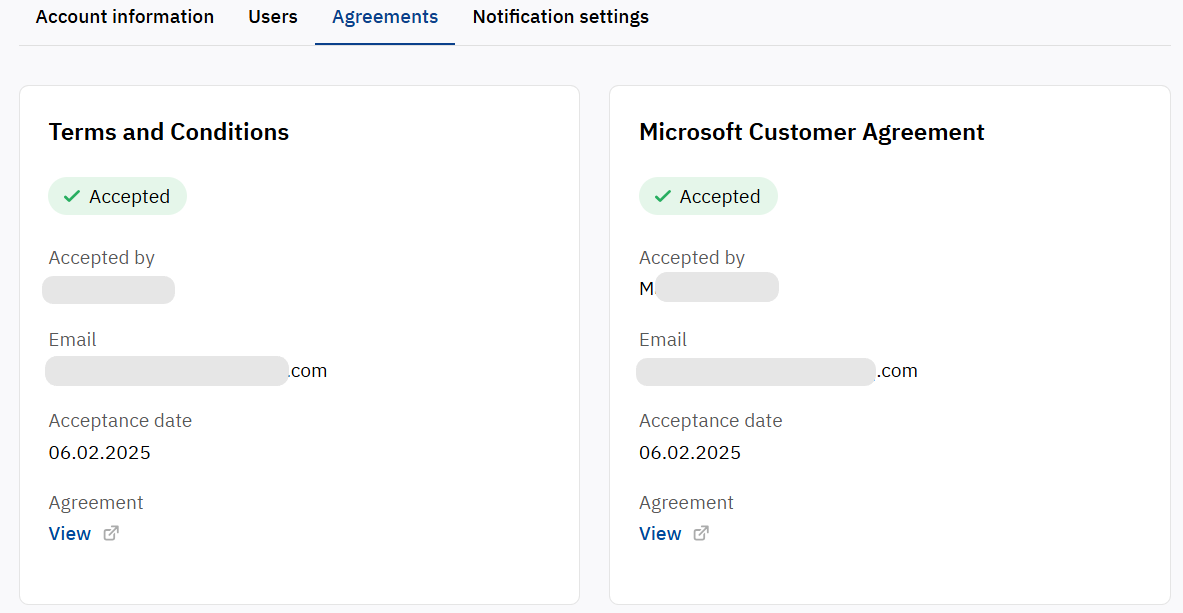
This section shows the acceptance model (by the customer or by the partner), which defines the source and method of confirming the terms.

MCA accepted via Customer direct acceptance
Customer direct acceptance – the customer independently accepts the MCA in the Microsoft 365 Admin Center using an invitation link.
MCA accepted via Partner attestation
Partner attestation – confirmation of the MCA via an embedded Microsoft component used at the third step of subscription ordering in the Customer Panel interface.
Noventiq Market India
|
Customer Support |
|
|
Microsoft Technical Support |
|
|
Client Control Panel |
|
|
Catalog |