
Before the subscription expires, you will receive a notification with instructions on choosing a plan to continue using the service. You can also switch to a paid plan before your trial subscription expires.
Please note: trial Microsoft MCE subscriptions can be automatically switched to a paid tariff plan with 25 or more licenses. If you need less than 25 licenses please order a new subscription from the catalog.
To switch to a paid subscription:
-
Open the Client Control Panel (https://bg.noventiq.market/client) and go through authorization process.
-
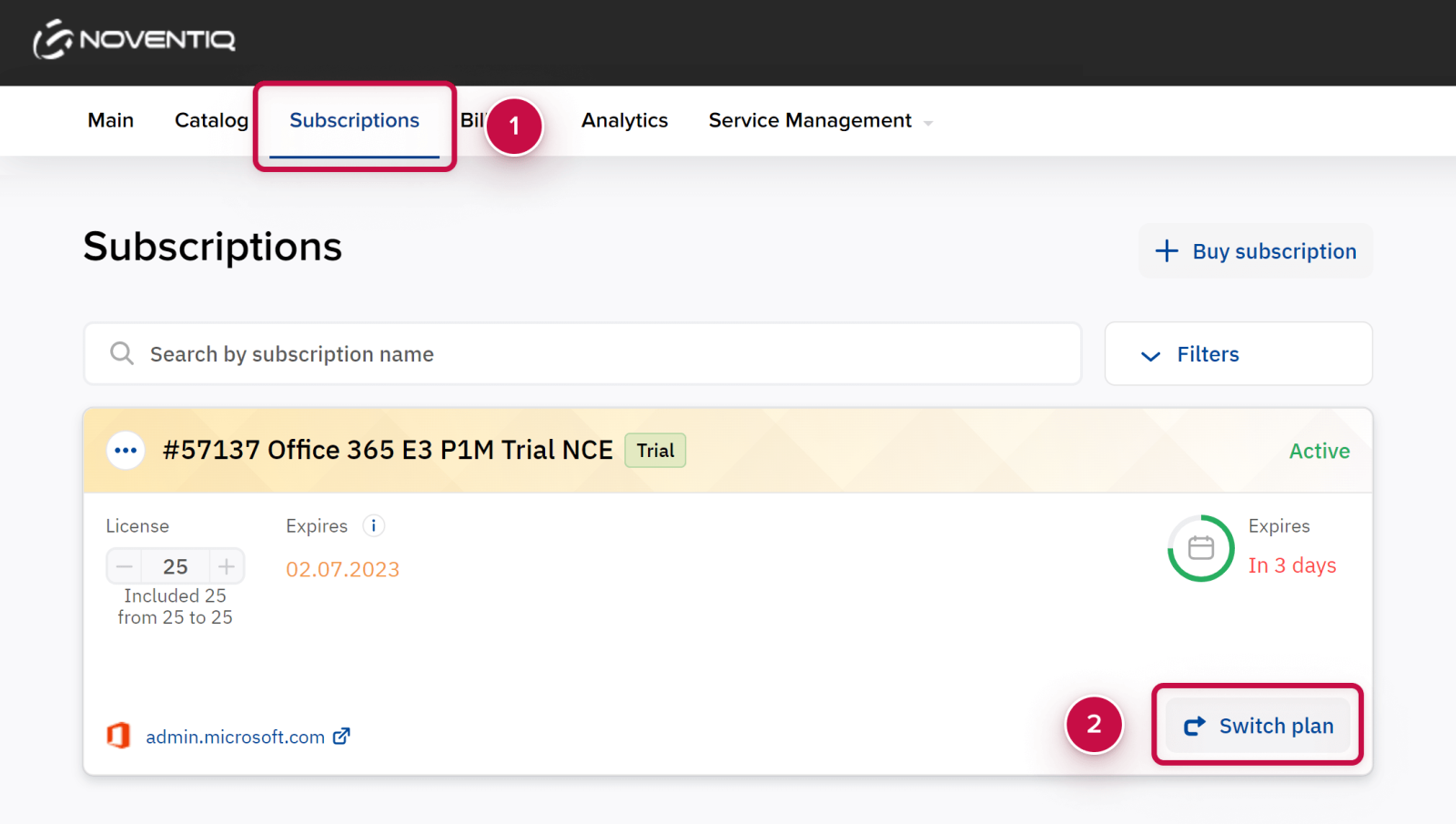
Open the Subscriptions section ➀.
-
Find the necessary subscription in the list of subscriptions.
-
Click the button Switch plan ➁ in the subscription block.
-
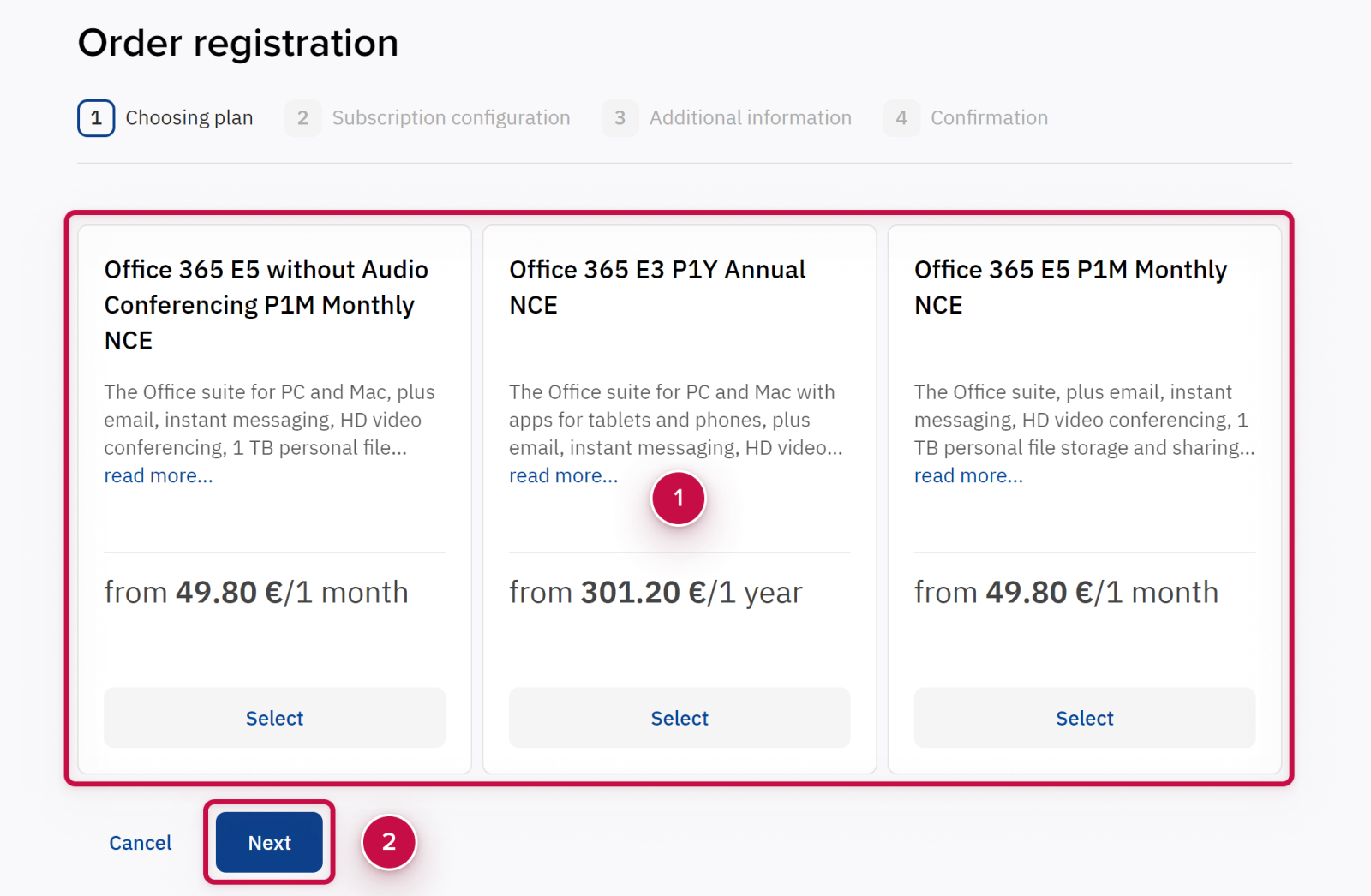
Choose the new plan and click Next.
-
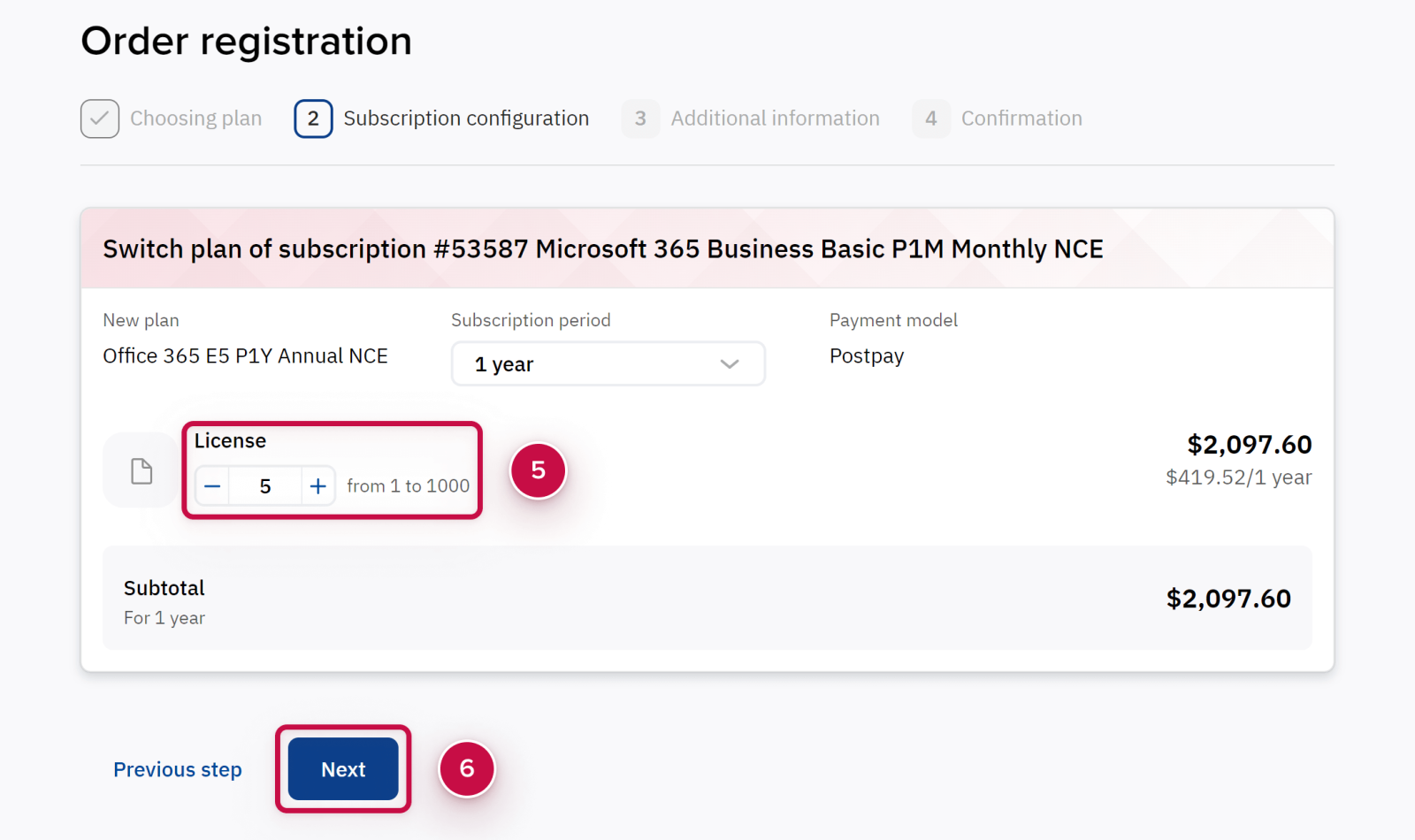
If necessary, enter the new number of licenses. The platform will automatically recalculate the subscription cost.
-
Click Next and confirm the order.
Noventiq Market Bulgaria
|
Customer Support |
|
|
Microsoft Technical Support |
|
|
Client Control Panel |
|
|
Catalog |