
Use Test Environment
You can use the test environment to check how the API works.
To access the API:
-
If you are using the Merchant Portal, then use section API Keys and create accounts allowing you to work with the API in the test environment
-
Otherwise, contact our support team to set up a connection
No additional authorization is required to work with the test environment. Apply only the authorization data required to use the Subscriptions API.
Test Environment Links
|
Authorization to access API |
https://api.ecommerce.noventiq.com.demonqweb.com/v1/login_check |
|
Get subscription data |
https://api.ecommerce.noventiq.com.demonqweb.com/v1/subscription |
|
Change subscription expiration date |
https://api.ecommerce.noventiq.com.demonqweb.com/v1/subscription/modify_expiration_date |
|
Change subscription activity (cancel / resume subscription) |
https://api.ecommerce.noventiq.com.demonqweb.com/v1/subscription/modify_activity |
|
Change next subscription renewal price |
https://api.ecommerce.noventiq.com.demonqweb.com/v1/subscription/modify_next_billing_price |
|
Change next renewal product name |
https://api.ecommerce.noventiq.com.demonqweb.com/v1/subscription/modify_next_product_name |
Examples of Requests in Postman
To work with a collection:
-
Get access to the API.
-
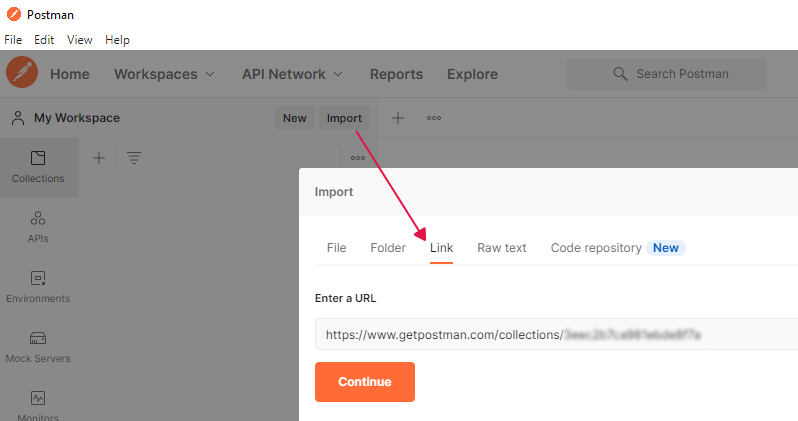
Import the collection into Postman. You have to insert the link leading to the collection into the Import window.
-
Set the following variables:
-
Username, Password – enter your username и password to authorize via the Authentication API.
-
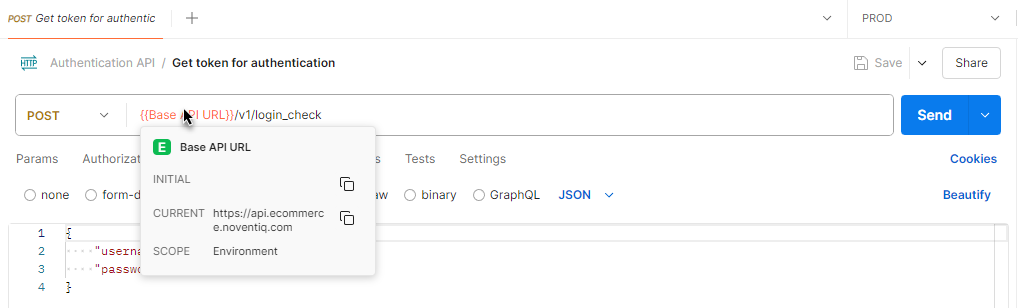
Base API URL - insert a necessary URL according to the environment in which you want to make the request:
-
https://api.ecommerce.noventiq.com.demonqweb.com - test environment
-
https://api.ecommerce.noventiq.com - production environment
You can create several sets of environment variables in Postman (e.g., for the test environment and for the production environment) and switch between them when transferring the request.
-
-
-
Make the Get token for authentication (/v1/login_check) request from the collection and get a token.
-
Enter the value of the token received into Token in Postman.
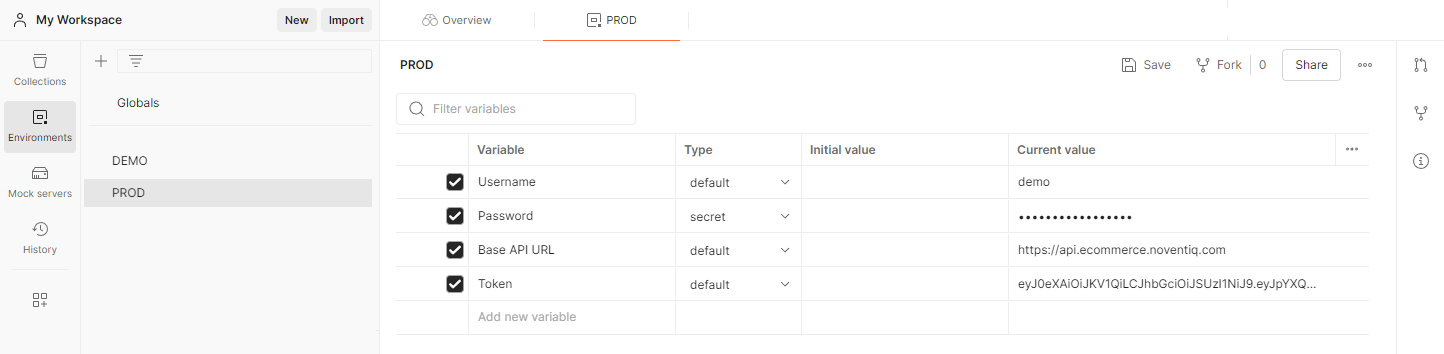
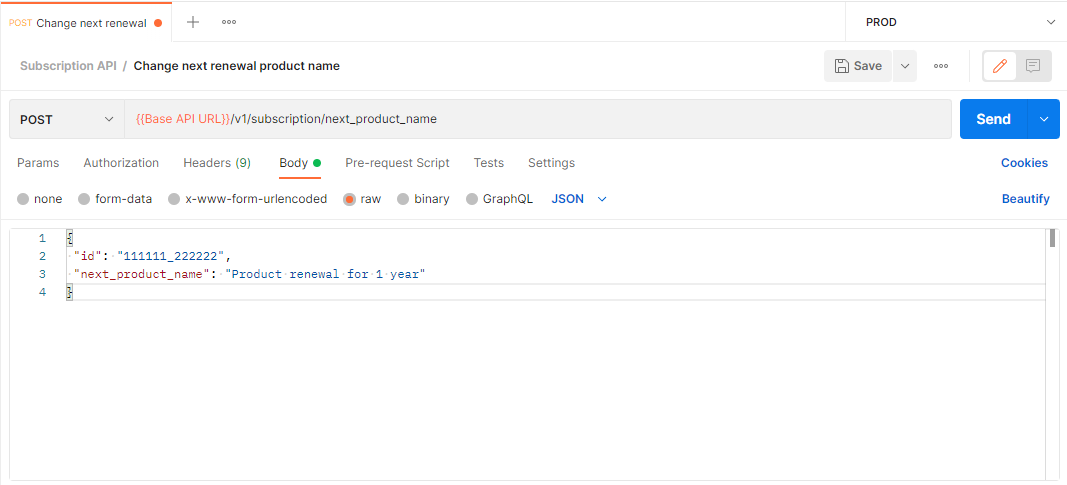
After that, you can use the requests of the collection.
Noventiq Checkout
|
Support |
|
|
Our resources |