
If you want to see all the requests that have been raised for automated provisioning, go to the main page of Azure Self-Service and Provisioning section (https://support.noventiq.com/self-service).
You will see the list and several filters that you can use:
-
Status – you can filter only Resolved requests, or only open ones.
-
Service item – you can filter by the type of request – only Windows VMs or only File shares etc
-
Requestor - you also can filter out all the requests that have been created by other users from your organization.
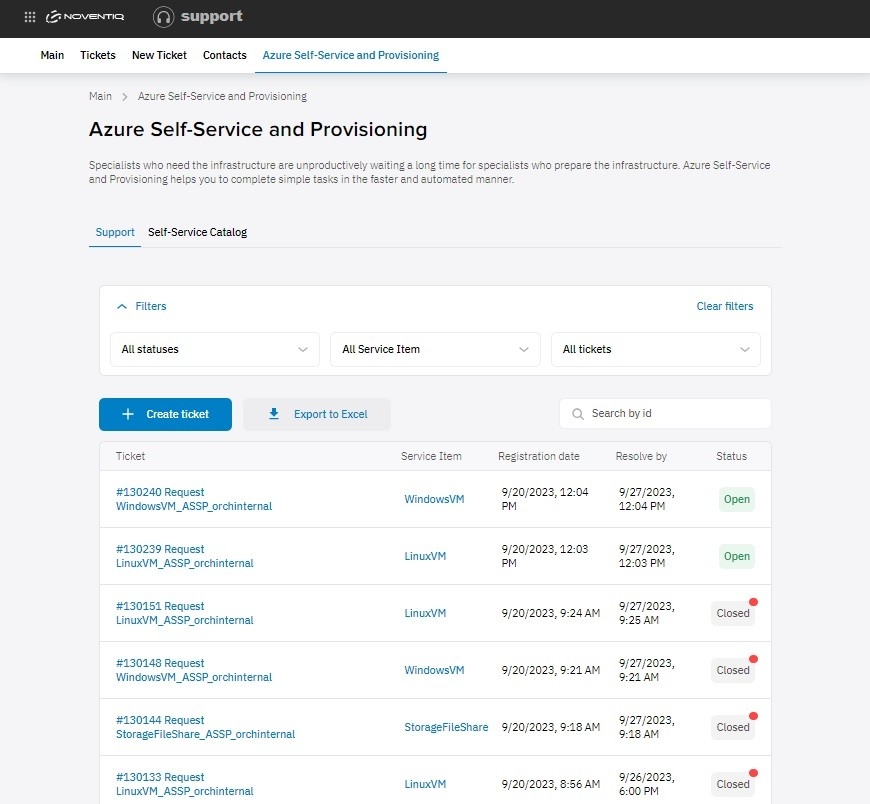
You also can export all your tickets using the Export to excel button – file will be downloaded automatically with the list of tickets that matches the filters you’ve selected.
Noventiq Support